- Published on
Surprisingly Effective Ways To Build A Profile Card With Tailwind CSS
- What is Tailwind CSS?
- The description of Profile Card ui component
- Why use Tailwind CSS to create a Profile Card ui component?
- The preview of Profile Card ui component
- The source code of Profile Card ui component
- How to create a Profile Card with Tailwind CSS?
- Conclusion
What is Tailwind CSS?
Tailwind CSS is a utility-first CSS framework that allows developers to rapidly build user interfaces. It provides a set of pre-defined CSS classes that can be used to style HTML elements. Tailwind CSS emphasizes the use of utility classes over traditional CSS rules, which makes it easier to write and maintain CSS code.
The description of Profile Card ui component
A profile card is a UI component that displays information about a person or entity. It typically includes a profile picture, name, title, and contact information. Profile cards are commonly used in social media platforms, job search websites, and other applications where users need to view information about other users.
Why use Tailwind CSS to create a Profile Card ui component?
Tailwind CSS is an excellent choice for building a profile card UI component because it provides a set of pre-defined utility classes that can be used to style the card. This makes it easy to create a responsive and visually appealing profile card without writing custom CSS rules.
The preview of Profile Card ui component
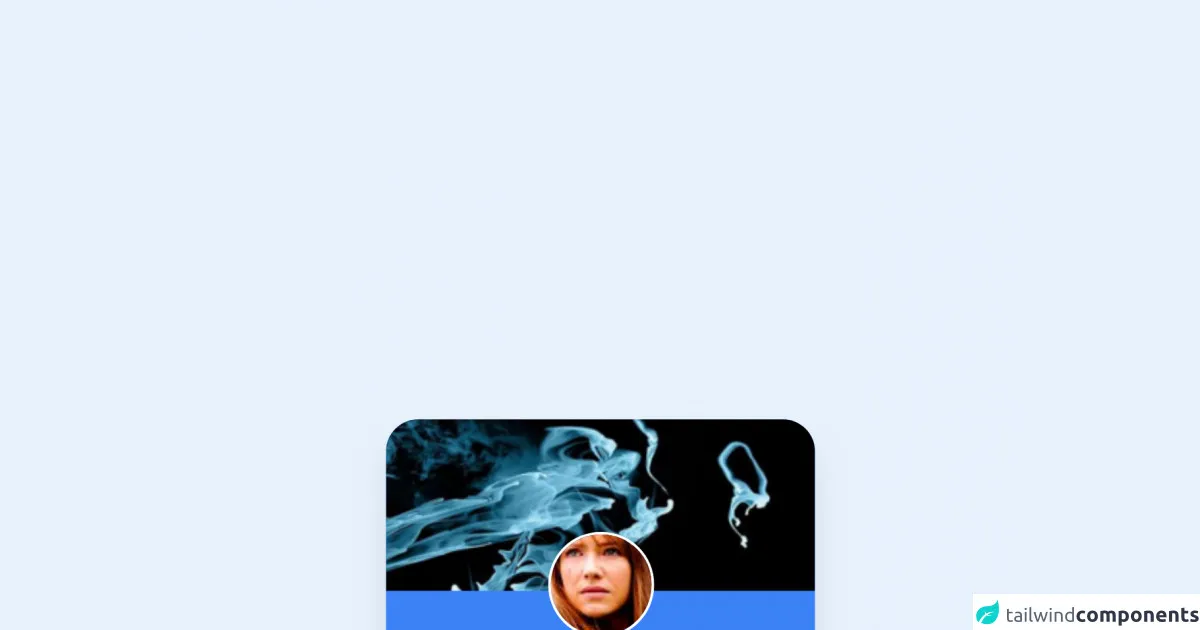
To create a profile card with Tailwind CSS, we will use a combination of utility classes to style the card. The final result will look something like this:
Free download of the Profile Card's source code
The source code of Profile Card ui component
The source code for the profile card UI component is relatively simple and can be easily customized to meet your needs. Here is an example of the HTML and CSS code:
<div class="rounded-3xl overflow-hidden shadow-xl max-w-xs my-3 bg-blue-500">
  	<img src="https://i.imgur.com/dYcYQ7E.png" class="w-full" />
    <div class="flex justify-center -mt-8">
        <img src="https://i.imgur.com/8Km9tLL.jpg" class="rounded-full border-solid border-white border-2 -mt-3">
    </div>
	<div class="text-center px-3 pb-6 pt-2">
		<h3 class="text-white text-sm bold font-sans">Olivia Dunham</h3>
		<p class="mt-2 font-sans font-light text-white">Hello, i'm from another the other side!</p>
	</div>
  	<div class="flex justify-center pb-3 text-white">
      <div class="text-center mr-3 border-r pr-3">
        <h2>34</h2>
        <span>Photos</span>
      </div>
      <div class="text-center">
        <h2>42</h2>
        <span>Friends</span>
      </div>
  	</div>
</div>
How to create a Profile Card with Tailwind CSS?
- Create a new HTML file and add the following code:
<div class="bg-white rounded-lg overflow-hidden shadow-lg">
  <img class="w-full h-auto" src="https://via.placeholder.com/150" alt="Profile Picture">
  <div class="p-4">
    <h3 class="text-xl font-medium text-gray-800">John Doe</h3>
    <p class="text-gray-600">Software Developer</p>
    <ul class="mt-4">
      <li class="flex items-center">
        <svg class="w-4 h-4 fill-current text-gray-500 mr-2" viewBox="0 0 24 24">
          <path d="M12 0a12 12 0 0 0-9 4l-2-2v6.1a12 12 0 0 0 4 9l8.9 8.9c3.9-2.4 7-6.4 9-10.9l-2.4-2.4c-1.8 3.7-4.5 6.8-8.1 8.6l-8.9-8.9a8 8 0 0 1-2.6-5.8v-2.2l-2-2a12 12 0 0 0 4 9l8.9 8.9c3.9-2.4 7-6.4 9-10.9l-2.4-2.4c-1.8 3.7-4.5 6.8-8.1 8.6l-8.9-8.9a8 8 0 0 1-2.6-5.8v-2.2l-2-2a12 12 0 0 0 4 9l8.9 8.9c3.9-2.4 7-6.4 9-10.9l-2.4-2.4c-1.8 3.7-4.5 6.8-8.1 8.6l-8.9-8.9a8 8 0 0 1-2.6-5.8V2l-2-2a12 12 0 0 0 9 4z"/>
        </svg>
        <span class="text-gray-600">johndoe@example.com</span>
      </li>
      <li class="flex items-center mt-2">
        <svg class="w-4 h-4 fill-current text-gray-500 mr-2" viewBox="0 0 24 24">
          <path d="M22 5.6c-.4-.2-.9-.2-1.3 0L12 11.8 3.3 5.6c-.4-.2-.9-.2-1.3 0-.4.2-.6.6-.6 1v13c0 .6.4 1 1 1h18c.6 0 1-.4 1-1V6.6c0-.4-.2-.8-.6-1zM12 10L2.5 5.2v10.6l9.5 5.2 9.5-5.2V5.2L12 10z"/>
        </svg>
        <span class="text-gray-600">555-555-5555</span>
      </li>
      <li class="flex items-center mt-2">
        <svg class="w-4 h-4 fill-current text-gray-500 mr-2" viewBox="0 0 24 24">
          <path d="M20 2H4a2 2 0 0 0-2 2v16a2 2 0 0 0 2 2h16a2 2 0 0 0 2-2V4a2 2 0 0 0-2-2zM9 18H5v-4h4v4zm0-6H5v-4h4v4zm6 6h-4v-4h4v4zm0-6h-4v-4h4v4zm6 6h-4v-4h4v4zm0-6h-4v-4h4v4z"/>
        </svg>
        <span class="text-gray-600">johndoe</span>
      </li>
    </ul>
  </div>
</div>
This HTML code defines the structure of the profile card UI component.
- Next, add the following CSS code to your stylesheet:
.bg-white {
  background-color: #fff;
}

.rounded-lg {
  border-radius: 0.5rem;
}

.overflow-hidden {
  overflow: hidden;
}

.shadow-lg {
  box-shadow: 0 10px 20px -5px rgba(0, 0, 0, 0.1), 0 4px 6px -2px rgba(0, 0, 0, 0.05);
}

.w-full {
  width: 100%;
}

.h-auto {
  height: auto;
}

.p-4 {
  padding: 1rem;
}

.text-xl {
  font-size: 1.25rem;
}

.font-medium {
  font-weight: 500;
}

.text-gray-800 {
  color: #2d3748;
}

.text-gray-600 {
  color: #718096;
}

.mt-4 {
  margin-top: 1rem;
}

.flex {
  display: flex;
}

.items-center {
  align-items: center;
}

.svg {
  display: inline-block;
}

.w-4 {
  width: 1rem;
}

.h-4 {
  height: 1rem;
}

.fill-current {
  fill: currentColor;
}

.text-gray-500 {
  color: #a0aec0;
}

.mr-2 {
  margin-right: 0.5rem;
}

.text-gray-600 {
  color: #718096;
}

.mt-2 {
  margin-top: 0.5rem;
}
This CSS code defines the styles for the profile card UI component.
- Finally, open the HTML file in your browser to see the profile card UI component.
Conclusion
In this article, we have learned how to create a profile card UI component using Tailwind CSS. Tailwind CSS provides a set of pre-defined utility classes that can be used to style HTML elements, making it easy to create responsive and visually appealing user interfaces. By following the steps outlined in this article, you can create a profile card UI component that can be used in a variety of applications.